Connecting plants to the internet

Written by

in

I have a couple of pelargonium plants on my balcony and I’m always struggling to determine, when to water them. By chance I also have a Raspberry Pi 3 lying around, so I’ve decided to do a little IoT project, turn the plants into cyborgs and let them tell me, when they need watering.
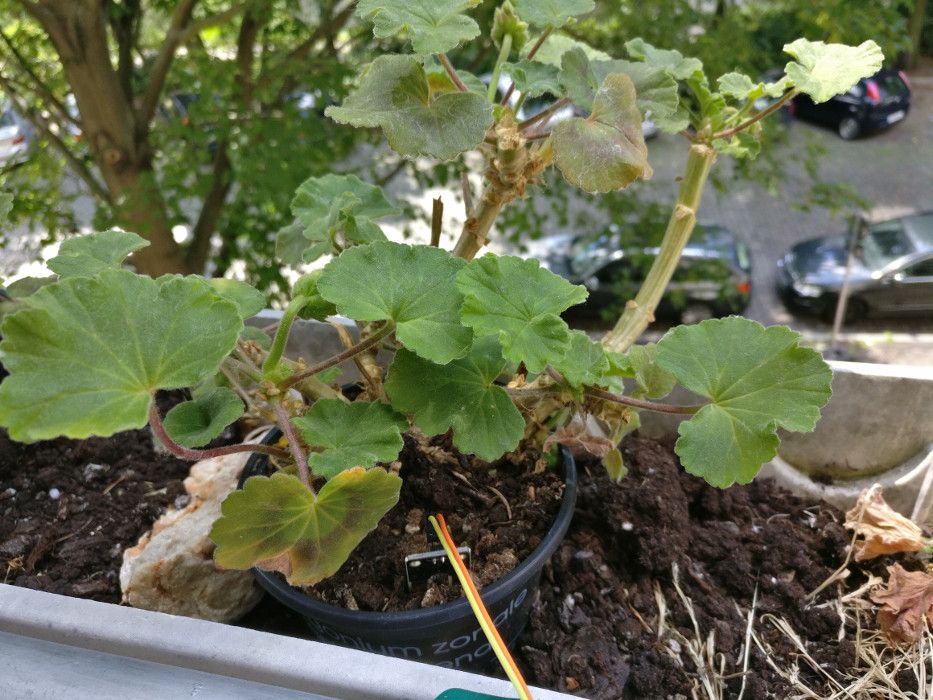
The connected plant
The connected plant

The basic setup is inspired by the Moisture Sensor Tutorial. But instead of sending emails and needing an SMTP server, I just submit the data to ThingSpeak, a very useful IoT analytics platform. An event in ThingSpeak can be configured every time a differing value is received in the input data stream. I’ve configured such an event to trigger sending a tweet, check the plant’s Twitter account here. On my phone, I’ve then tweaked the notifications in the Twitter app using my personal account to notify me on every tweet on the plant’s account.
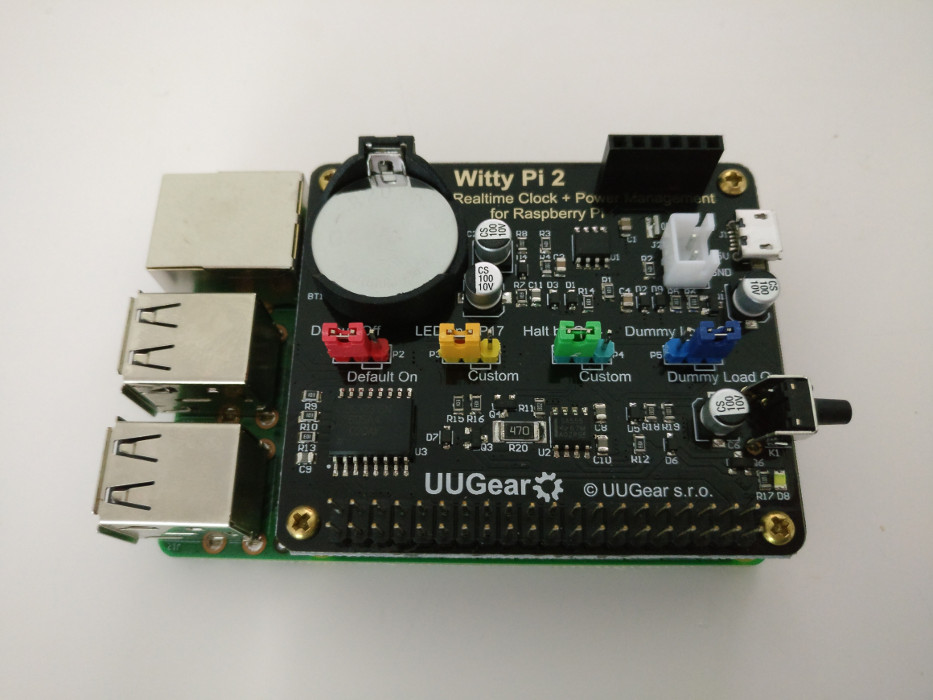
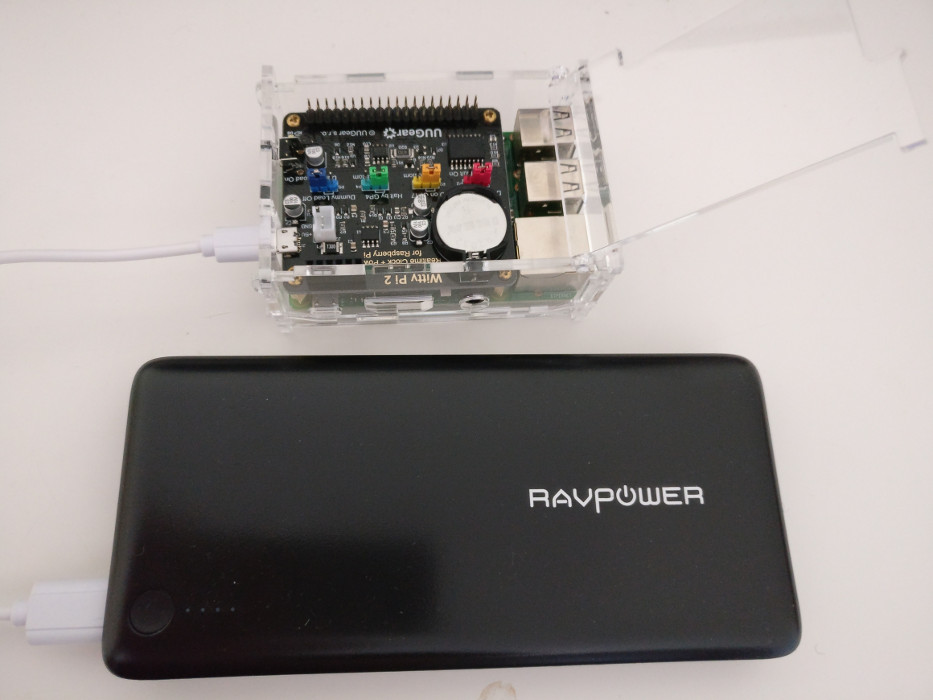
Raspberry Pi 3 with Witty Pi 2 mounted on top

To provide electric energy, I bought the Ravpower powerbank with capacity 26800mAh. However even the massive battery doesn’t last more than three days in this setup. That’s when I found a nice extension board for Raspberry Pi called Witty Pi 2, which will handle turning the Pi on and off based on a schedule, thus conserving huge amounts of energy. See the photo on the left. I set the schedule to turn the Pi on for 2 minutes once every 2 hours. The whole thing can keep running like this for about a month without recharging.

To summarize, here is a complete list of used components:

  • Raspberry Pi 3
  • Witty Pi 2
  • Ravpower powerbank with capacity 26800mAh
  • Moisture sensor
  • Breadboard
  • 5 jumper wires


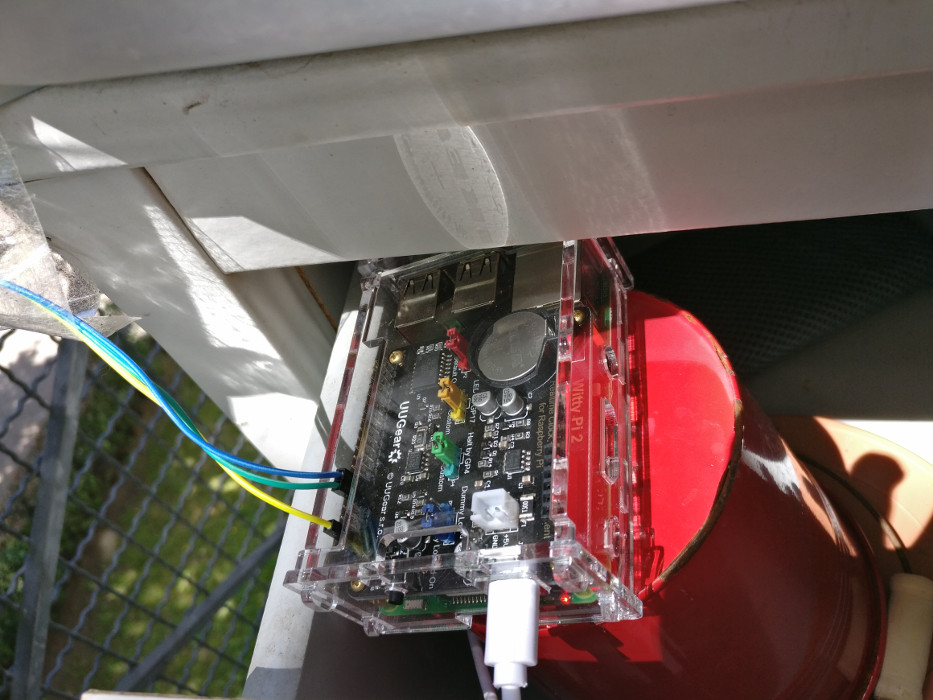
Placement in a drawer on my balcony
Raspberry Pi 3 with Witty Pi 2 on top and a powerbank
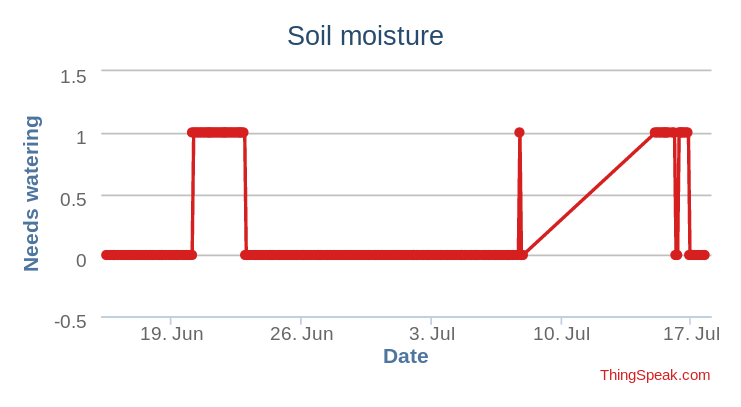
ThingSpeak chart

The hardware running smoothly, finally, let’s discuss the code. I started off with the tutorial’s Python sample and extended on that. I ended up with Ansible scripts. Ansible takes care of the configuration deployment, so whenever I’d format the Pi, I just need to install Raspbian, replay the Ansible playbook and I will get the same software installed and configured on it. Check the repo on Github. Pretty sweet!

Comments

3 responses to “Connecting plants to the internet”

  1. Merten Avatar

    Congrats on your cyborg plant – it’s pretty cool.
    What was up on 15th/16th? Greedy thing!
    So, is the raspi also going to tweet, when it will finally need new batteries?

  2. Jakub Horák Avatar

    Haha, thanks! On the 8th, the battery juice ran out after a month of operation 😀 I should have it tweet when the juice is about to run out, that’s a great idea!

  3. […] for a few days? Unfortunately my plants suffered from this fate too. Since I already have my plants connected to the internet via Raspberry Pi, notifying me whenever the soil gets dry, one solution is to have that same event […]

Leave a Reply

Your email address will not be published. Required fields are marked *