My household pays a significant amount to back up photos to the cloud. We have both an iCloud+ subscription for 10,99€ monthly and a Dropbox Plus plan for 119€ yearly. That’s about 21€ per month for roughly 600GB of photos and videos. These costs could definitely be optimized by moving to a homelab NAS server.
An important consideration for me is the size of the case. Initially, I was looking at SSD MiniPCs like the GMKtec NucBox G9, but SSDs get really expensive as storage needs grow and they aren’t as modular or easily upgradable as a proper DIY build. Many people on Reddit complained about the thermal Speed isn’t a factor here since HDDs are fast enough for photo storage. The smallest form factor that made sense for me was Mini-ITX.
While searching for a small Mini-ITX case, I found excellent reviews about the Jonsbo N2. I discovered some great videos on Wolfgang’s channel on YouTube. He has a video about the case and about the motherboard he installed in it: the ASRock N100DC-ITX. After researching alternatives, I couldn’t find anything better, so I decided to go with the same setup. The Intel N100 processor is very energy efficient and should provide adequate performance for a NAS. While a newer N150 would be appealing, there aren’t any Mini-ITX motherboards available with that chip yet.
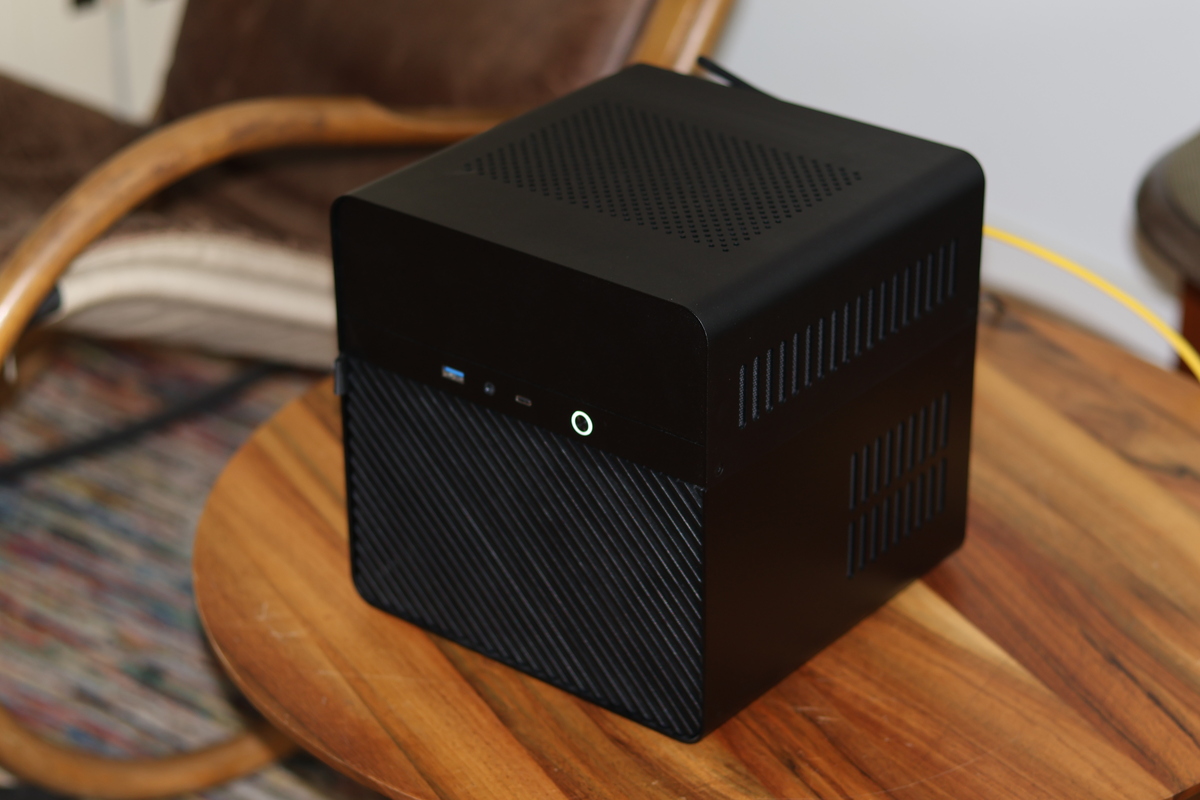
Here’s my part list:
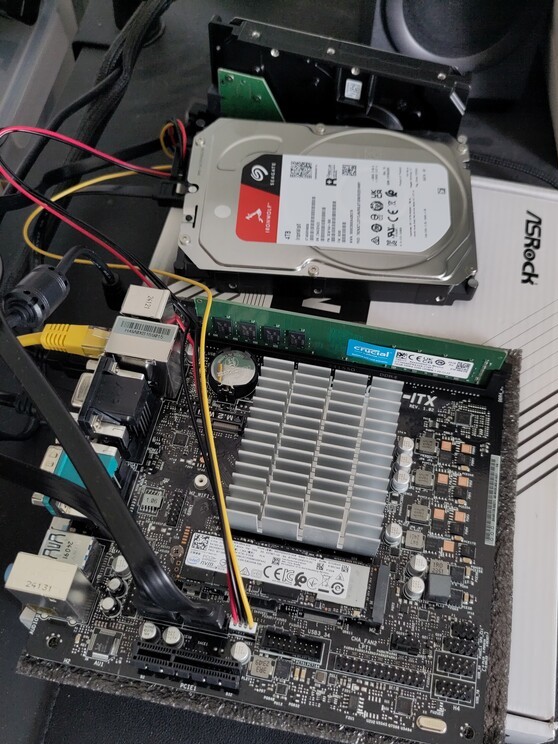
- Motherboard: ASRock N100DC-ITX
- Power supply: Leicke Ull 90W with 5.5 x 2.5 mm barrel jack plug
- Case: Jonsbo N2
- Storage: 2x 4TB Seagate Ironwolf NAS HDD
- Memory: Crucial 16GB RAM DDR4 3200MHz CL22 (CT16G4DFRA32A)
- Cooling: Noctua NF-A9x14 PWM case fan
- Wireless: Waveshare AX210 wireless card with Wi-Fi 6E and Bluetooth 5.3
That’s all for this post, I plan to write another one about the software soon.